
March 2020 Newsletter
- Online Incident Reporting - Updates
- Incident Reporting Module - Updates
- Risk Assessment Module - Updates
- Excel Reports
- Did you know?
Online Incident Reporting - Updates
New features are now available for Online Incident Reporting customers.
1.
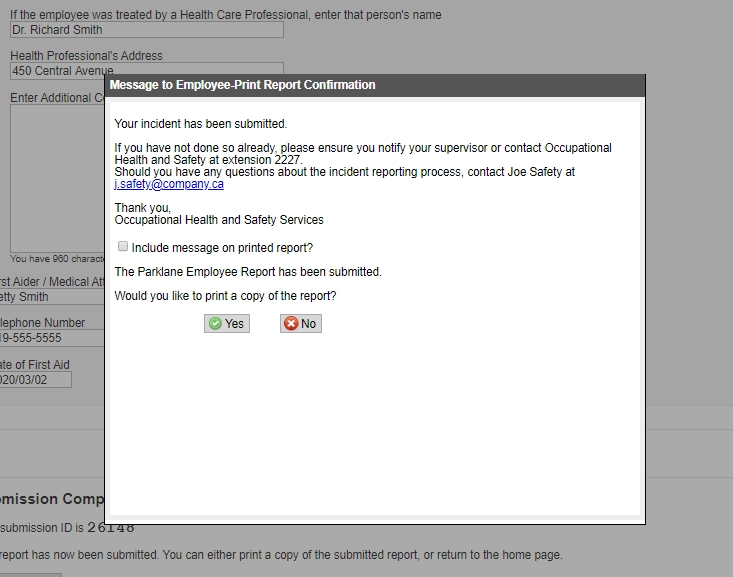
You may choose from a list which fields will appear on the Supervisor and Employee reports and indicate which ones are to be mandatory.2.
You can now provide follow up instructions to the supervisor and/or employee which will appear once an incident has been submitted. Your custom message can be up to 2500 characters and can be printed with the report for future reference.
Be sure to update your Parklane System contact Support at support@parklanesys.com to assist with updating the Online Forms.
Incident Reporting Module - Updates
The following are some of the changes that have been incorporated. For a complete list of updates, view the Revision List on our Resource Page.
1.
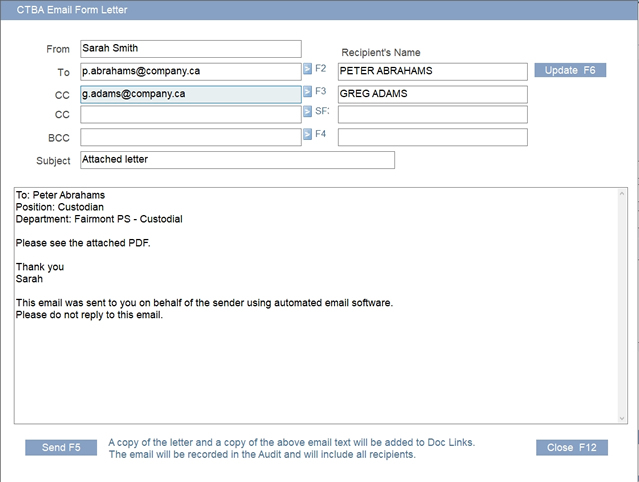
Parklane Form Letters, which can be emailed directly from the system, now includes CC and BC options, as well as the ability to customize the outgoing email text. Emailed form letters are automatically linked in Document Links and recorded in the audit report.
If your Personal Data does not have email addresses, you can add them manually and hit the Update button (F6). This action will update the employee's Personal Data file to now include the email address for future use.
2.
Any new claims added (HC, LT, Reo) will now default to "Pending" status.
Risk Assessment Module - Updates
Major enhancements have been made to the Online Risk Assessment form. To receive this new form, be sure to bring your Parklane System up to date - then contact Support for assistance.
Some of the features now available:
1.
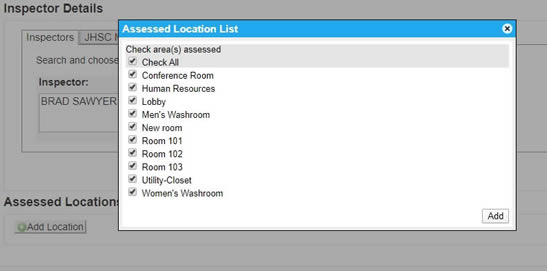
Add multiple locations to your assessment at once - all of which default to "No Hazards Found". This means you can capture all assessed locations during your assessment, instead of adding them one at a time.
2.
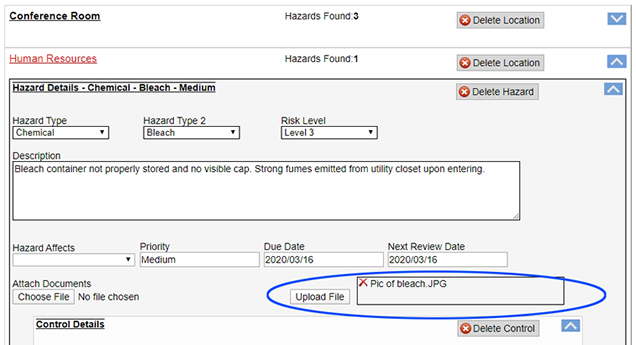
Images can now be captured and uploaded directly to the hazard. Parklane will store the images in Document Links - identifying the hazard it is attached to, the location it was taken and corresponding hazard number.
3.
Hazards found are now collapsible. The inspector no longer has to scroll through many hazards and locations to review the entire assessment prior to submission.
4.
Risk has new features to assist in ensuring your H&S policy and procedure review/revision deadlines are met. The new feature includes:
- Automatic customizable review notifications
- Automatic overdue and reminder notices
- Responses and completion date captured online
- Upload reviewed/revised documents
- Revision history captured on each policy/procedure
- Documents are dated and stored
- Compliance and status reports
For more information contact us at information@parklanesys.com or watch this informative video.
Excel Reports
Parklane Graph Reports open in Excel and provides information in a variety of ways. They are all pre-formatted with professional graphs and pivot tables that are customizable to suit your specific needs.
Using these reports does not require Excel expertise, just choose a graph and Parklane will do the work for you.
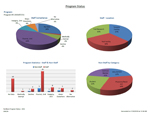
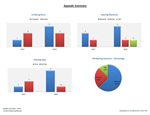
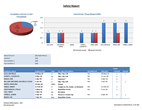
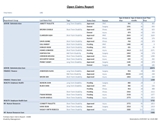
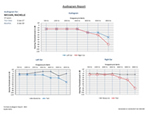
If you have never used Parklane's Graph reporting, watch this short video to get started. Be sure to visit Graph Descriptions on the Resource Page which includes a list, by module, of all the graph reports available. Included are samples to view, list of exported fields and written description of the content.
For a video on all Parklane Report features, click here.
Check out some samples by clicking the links below. Each link will open Excel. Click on the tabs at the bottom of the document to view all of the content. For a full list of reports, visit the Resource Page.
Incident Reporting Samples:
- DHE - Cost Analysis
- DHH - Incident Totals
- DHM - Incident Trend
Disability Management Samples:
- AHM - Costs and Days Trend
- AHN - Who's Off
Work Accommodation Samples:
- MHE - Phases
- MHF - RTW Detail
Did you know?
1.
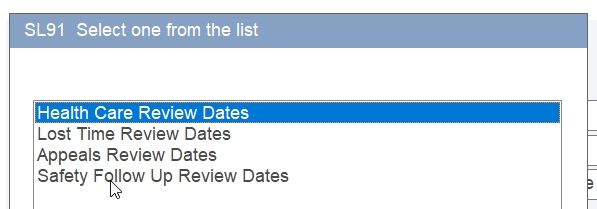
Standard review dates can be segregated and set up under different groupings. By doing so, you may use different standard review dates depending on each situation. See example below.
2.
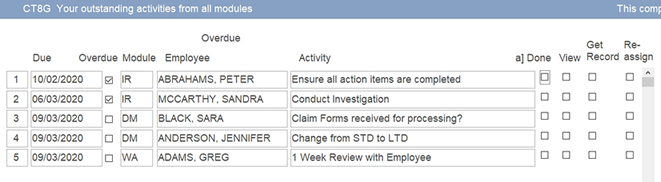
The Review Dates Worksheet on the Main Menu will display your activities that are due across all modules. View and/or edit any record directly from the panel and quickly check off your list of tasks as they are completed.
Should there be a topic of interest you would like to see included in our newsletter, or Comment / suggestion you would like to share, don’t hesitate to let us know at resources@parklanesys.com.
To Unsubscribe from further emails, please Click Here,
or reply to this message with Remove as the subject line.
10-521 Nottinghill Road, London, Ontario, Canada, N6K 4L4
Tel: 519-657-3386
www.parklanesys.com