| Click Here for PDF Copy which includes a list of exported fields that are in each report. |
| Report name |
Report View (click image) |
Export Headings |
Report Description |
Employee Statistics |
CHA
|
Last First Name
Date of Birth
Dept Group
Emp ID
Status
Position
Union
Supervisor
Emp Key
Language
Email
Miscellaneous
Miscellaneous 2
Miscellaneous 3
Hire Date
Term Date
Business Number
Cell Number
Dept Code
Dept Description
|
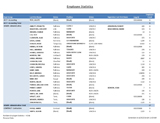
Report offers terminated/not terminated, dept/group query and reports employee counts.
- Main sheet: Pie chart – percentage of employees by status and by union. Bar chart of number of employees by employment status, bar chart of number of employees by union.
- Sheet 2: Table of number of employees by status and department.
- Sheet 3: Table of number of employees by position and how many of those positions in each dept/group.
- Sheet 4: Table of dept/group, employee, status, position, union, supervisor (if applicable), emp ID and count by dept/group.
- Sheet 5: Table of dept/group, employee, DOB, status, hire date, language, email
|
Experience Report |
CHB
|
Last First Name
Date of Birth
Dept Group
Emp ID
Status
Position
Union
Supervisor Last First Name
Hire Date
Term Date
Years Employed
Emp Key
Year End
|
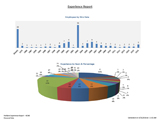
Report offers terminated/not terminated, dept/group query and reports on years employed by organization based on hire date.
- Main sheet: Bar chart of number of employees by hire date. Also includes pie chart of number of years experience and percentage of employees with that experience in the company.
- Sheet 2: Table of dept/group, employee names, # of years each have been employed, position, union and year hired.
|
| Activity Dashboard |
CHC
|
Module
Emp Key
Last First Name
Date of Birth
Dept Group
Emp ID
Status
Position
Union
Date Inc Acc
Class
Type Reason
Cause Medical Profile
Corr Act Condition
RTW Date
Days Lost
Total Costs
Managing staff
Close Indicator
Closed Date
First Day off
IR year
DM year
Status Desc
Month
Year End |
Recommended: Pull at least 2 years.
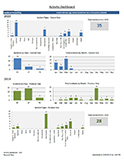
Reports on high level activity across 3 modules: Incident Reporting, Disability Management and Work Accommodation. Includes activity of terminated employees (if activity falls in the date range).
- Main Sheet: Dashboard. See sample for content.
- Sheet 2: Shows counts of records over 3 modules and sorted by department or group.
- Sheet 3: Shows counts of records over 3 modules and sorted by employee name.
- Sheet 4: Incident Reporting numbers by dept/group, class and years.
- Sheet 5: Disability numbers by dept/group, class and years.
- Sheet 6: Work Accommodation numbers by dept/group, medical profile and years.
|
| Employee Activity |
CHD
|
Module
Emp Key
Last First Name
Date of Birth
Dept Group
Emp ID
Status
Position
Union
Date Inc Acc
Class
Type Reason
Cause Medical Profile
Corr Act Condition
RTW Date
Days Lost
Total Costs
Managing staff
Close Indicator
Closed Date
First Day off
IR year
DM year
Status Desc
Month
Year End |
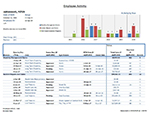
This report is located on the sidebar in an employee’s record. Reports on activity across 3 modules: Incident Reporting, Disability Management and Work Accommodation.
- Main Sheet: Table of module activity for that employee, sorted by module
|
