Parklane Data Query Option
Parklane is making your application data available in a SQL relational database.
Under SQL the customer may:
- Perform queries/extracts on their data.
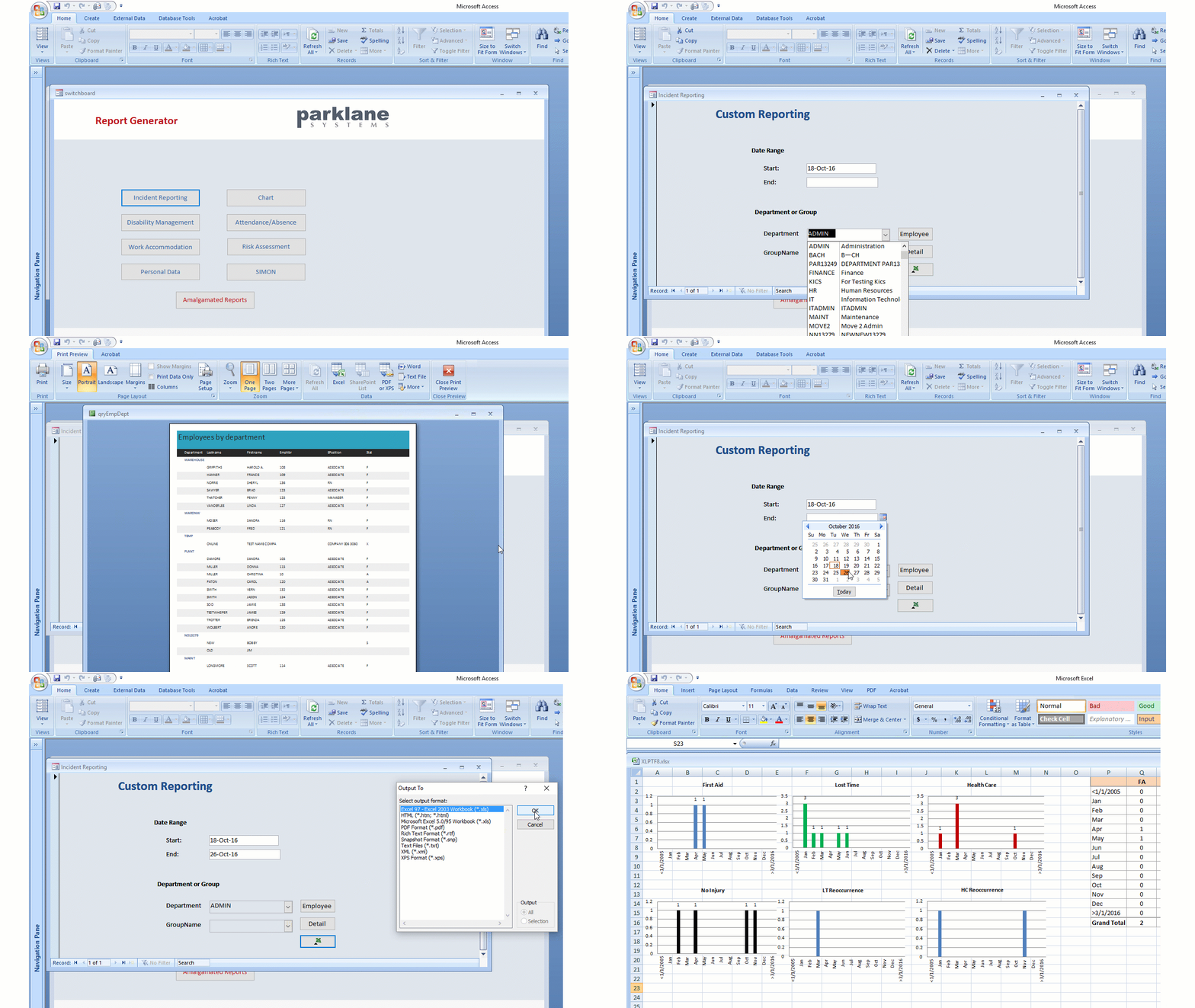
- Develop custom reporting using commonly-used report writers. (see sample below)
How it works
- This feature is optional and must be activated by the customer prior to usage.
- The data stored/used by the system remains in the proprietary Parklane dataset.
- A copy of the Parklane dataset is available in an SQL database.
- The process to synchronize the Parklane database with SQL is not an automatic/real-time activity for performance reasons. Rather, the synchronization is performed at the discretion of the customer and you decide when and how often you want to perform this function.
- There are two methods to synchronize the databases.
- Customer may manually prompt the synchronization from the Menu of the Parklane System.
Setup Scheduled Task for automating Syncronization
- A scheduled task may be set up by customer to activate the synchronization automatically on a regular basis.
(This uses an additional run-time while running).
Implementation Requirements
- A SQL Server is required for storage of the database. We can provide you with a MySQL Server to store your data, or you can provide your own database server (Microsoft SQL).
- To access your data, you will need a MySQL connector to interface your application with the database. An installer is provided by Parklane.
- With the exception of hosted customers, set up of the SQL server, etc. is the responsibility of the customer.
Any technical support required from Parklane will be billed at $125 per hour, 1 hour minimum.
- Microsoft SQL will require a manual setup, as we do not provide an automated installer.
- Your Parklane System must use our SHARE option and requires current Parklane Software.
Modules available
- Current Modules: Personal Data, Incident Reporting, Disability Management, Work Accommodation, Attendance, Recall, Chart
- Future Modules: Risk (when requested)
Are you interested in SQL Sync?
Click here - The first paragraph contains the requirements before you can proceed.
Sample (not included) demonstrates in Microsoft Access; however, other report writers, such as Crystal Reports, can be used.